A new AI model for filing, and smarter folder suggestions
This week is all about filing quality. We started rolling out a new AI model that names your files better and works faster, and we made Filently much better at understanding your folder structure. Shared drives work better too, and most PDFs are now processed faster.
Better filing
A new AI model for filing
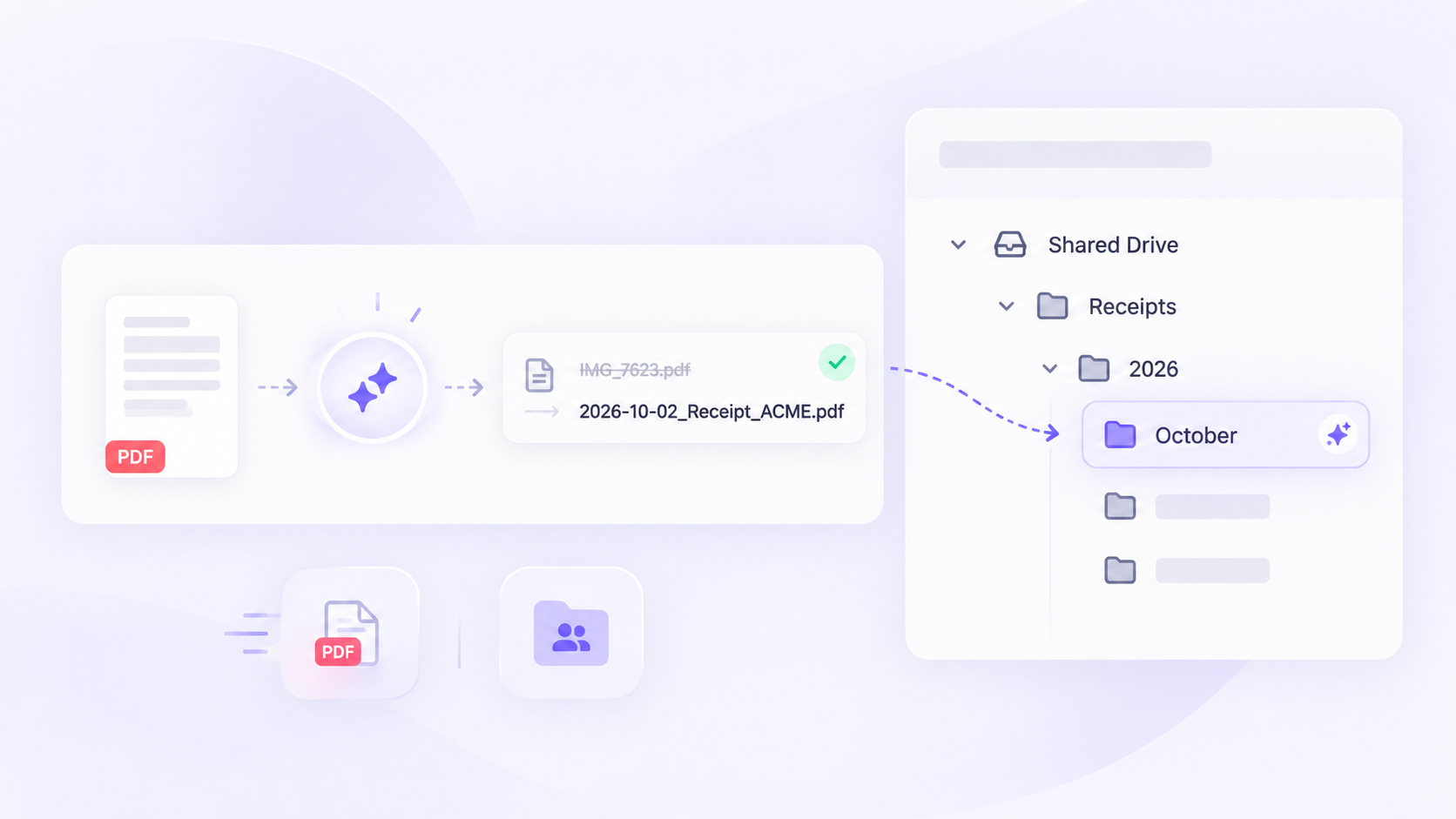
Filently now files with a new, latest-generation AI model. In our tests, it did best exactly where filing is hardest: on the documents our users had to correct by hand, it found the right folder more often than the model before. And it writes noticeably better file names:
It keeps the language of your documents and folders more consistently.
It writes shorter, cleaner names.
It picks the right date more reliably.
It is faster.
We are rolling it out gradually, so we can watch the results closely. You do not need to do anything. If you can't wait, write to us through the chat in the app and we switch your account right away.
🗣️ Tell us how it files for you. If a suggestion or a name surprises you, good or bad, we want to hear it. Your feedback decides when the new model becomes the default for everyone.
Smarter folder suggestions
Filently now understands your folder structure much better when it picks where a document goes, also in large and deeply nested trees. The biggest effect: when a document needs a new folder for the new month or year, such as October inside Receipts/2026, Filently now suggests it and files the document automatically. Before, these documents often waited in review, especially in the first days of a month.
Folders with a slash in their name, such as “2024/2025”, are now understood as one folder too.
Also New
Faster processing for most PDFs
PDFs created on a computer, such as invoices and statements you download, are now processed faster. Scanned documents work as before.
Bug Fixes
Filing location moved to another drive: when you moved your filing location folder, for example from My Drive into a shared drive, Filently treated it as deleted and stopped noticing new files. It now follows the folder to its new drive.
Automatic filing after a reconnect: when Google stopped Filently's access and you reconnected Google Drive, your inbox switched to manual approval and stayed there. Reconnecting now keeps the access you had given, so automatic filing continues and waiting files are filed. If you leave out the wider permission on Google's screen, Filently tells you which one is missing.