Look Before You File
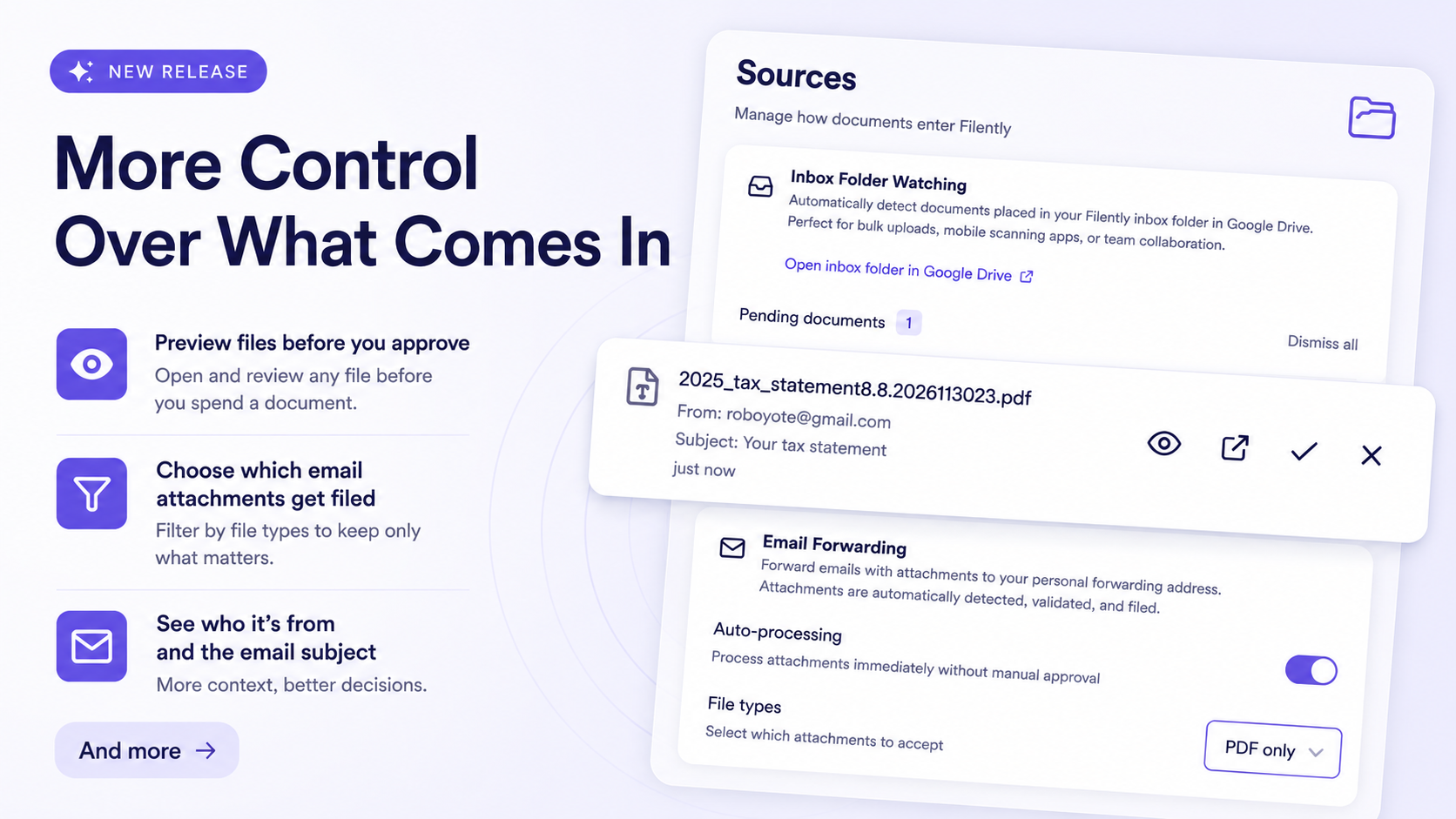
This release is mostly about what reaches you in the first place. You can now open a file before you approve it, tell Filently which email attachments to accept, and rely on it to recognize files that arrive without a proper file type. Bulk revert also landed, so the changes you do want to undo no longer have to go one at a time.
What Comes In
Preview a file before you approve it
Every file waiting on your Sources page now carries an open button, so you can check what something is before you spend a document on it.
Email attachments open in a new browser tab for PDFs, photos, and scans, and download for the formats browsers cannot display. Files found in your inbox folder open in Google Drive under your own account, where every format has a viewer, including Office files and Google Docs. Rejected files carry the same button, so you can check a duplicate warning against the actual file before you dismiss it.
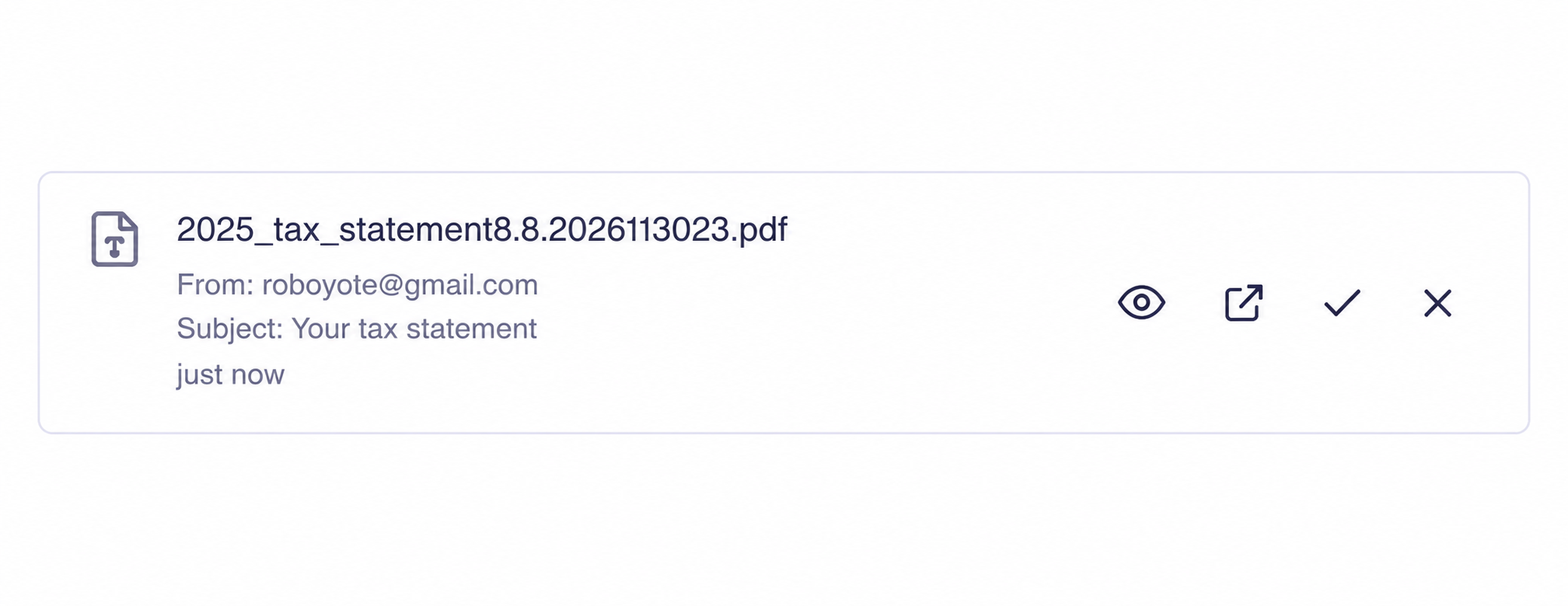
Each row also shows more context: who sent the file, the subject line of the email it came from, or the folder it was found in. Opening a file does not file it and does not use a document credit. @Email Forwarding Inbox Folder Watching
Decide which email attachments get filed
Forwarded emails often carry more than the document you meant to send. Two changes keep the noise out of your Drive.
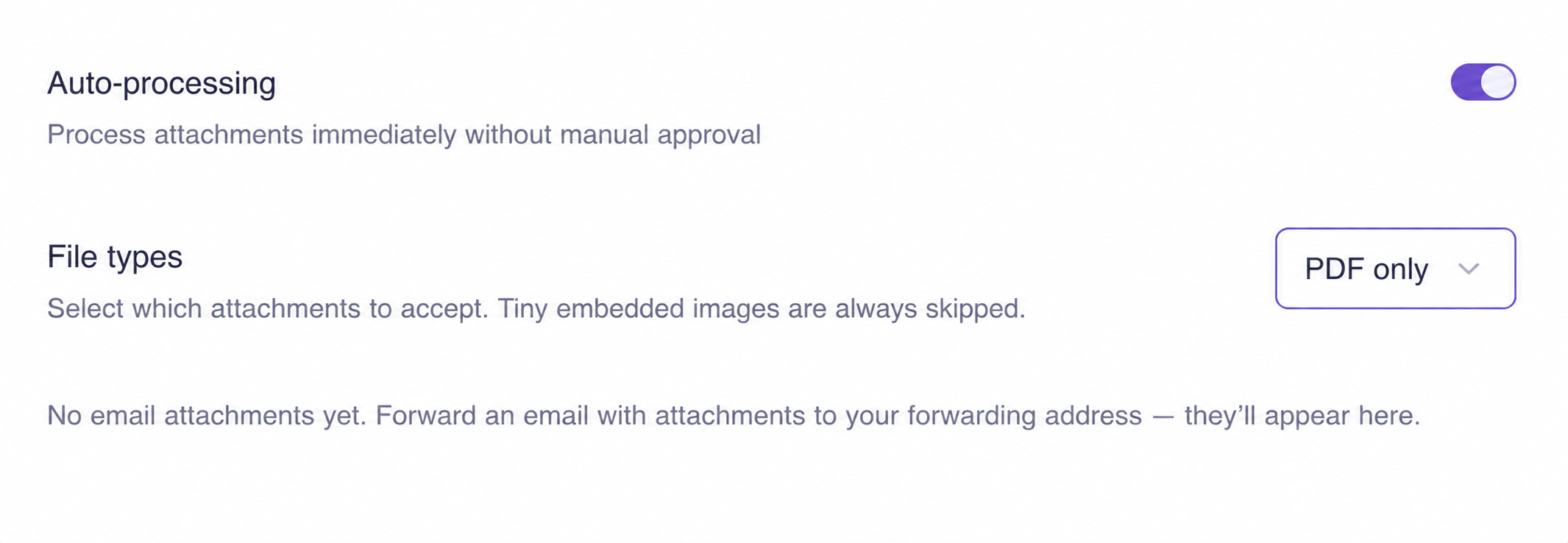
Filently now always skips decorative graphics: any image under 25 KB, and SVG graphics at any size. Those are the signature logos and tracking pixels that arrive as ordinary attachments. They are never downloaded, never use a credit, and never reach your Sources page. Photographed receipts and scanned pages are far larger, so they still come through normally, and PDFs and Office documents are never skipped.
Auto-processing also has a new File types setting on the Sources page. Choose PDF only, PDF and Office, PDF, Office and images, or everything. Attachments outside your choice are skipped before they reach you. Email Forwarding
Better recognition of unlabeled files
Browsers and cloud drives often hand over a file without saying what it is, especially for less common extensions. Filently used to fall back to the filename in those cases, which made for weaker names and filing suggestions.
Filently now works out the real file type from the file itself, both when you upload and when a document is processed. Files that arrive unlabeled are read and classified properly, and forwarded attachments are judged on what they actually contain rather than on what the sender claimed. Supported File Types and Limits
New Features
Revert many changes at once
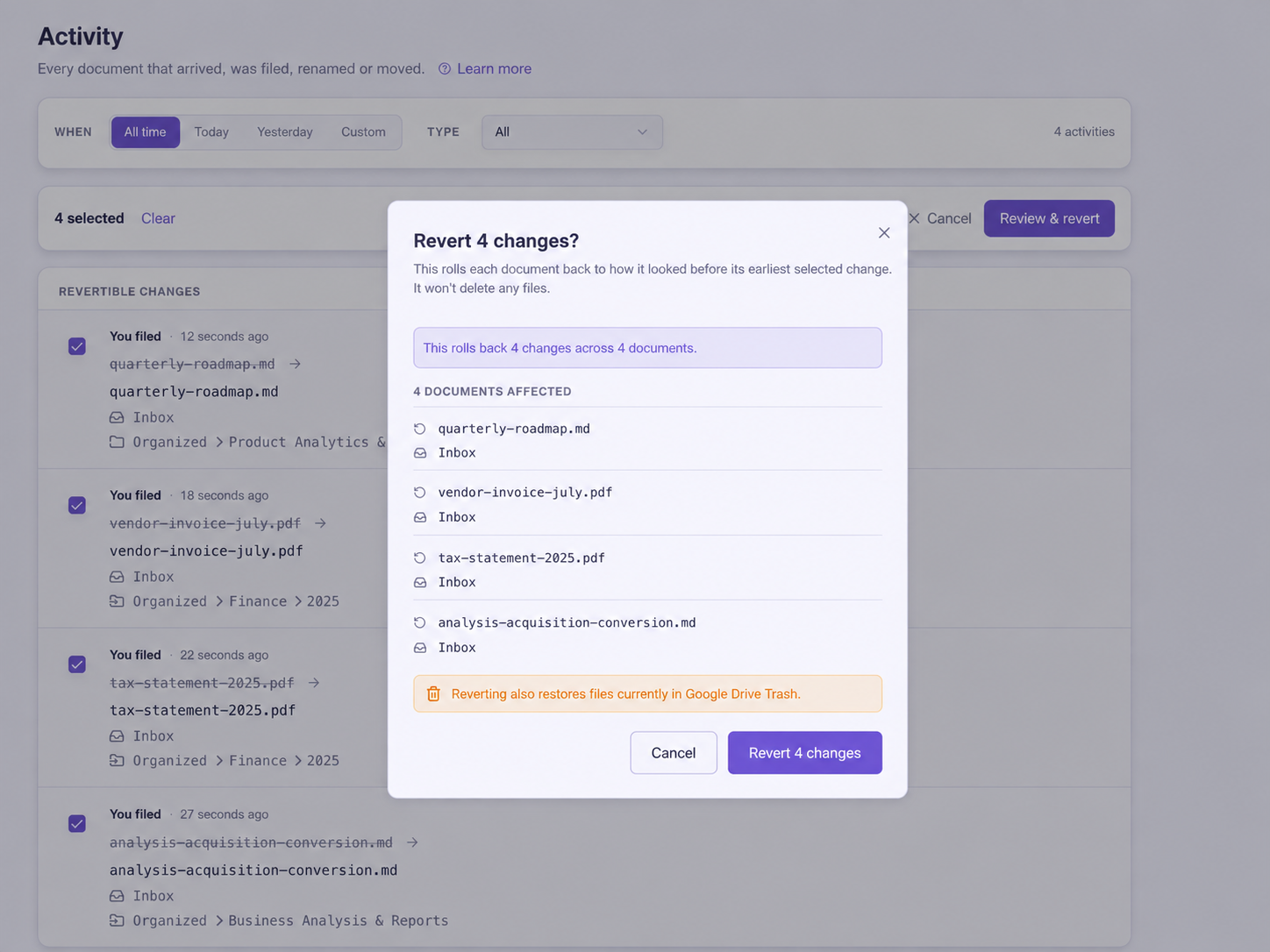
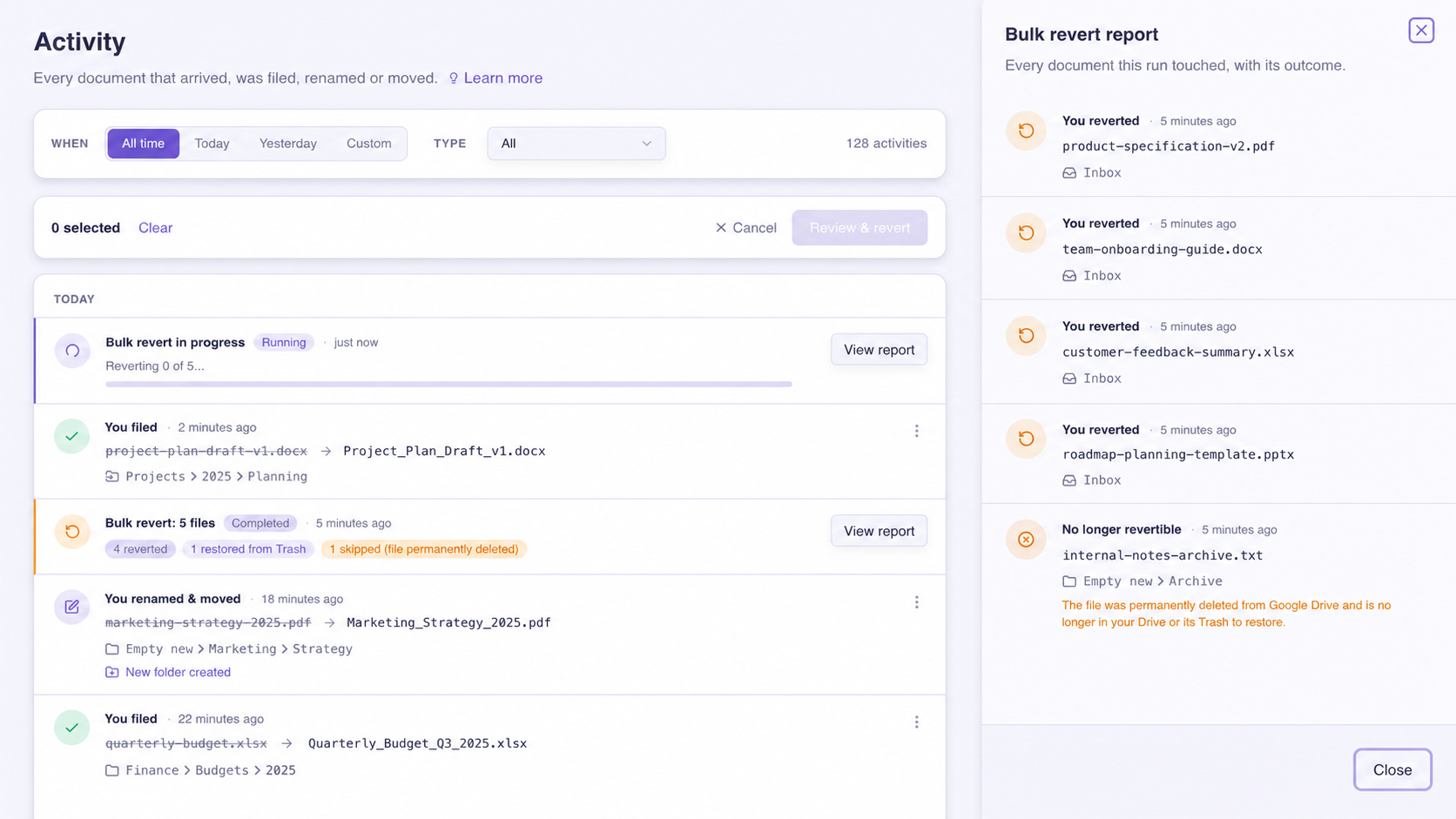
Undo is no longer one document at a time. Select as many changes as you like on the Activity page and roll them all back in a single run.
Choose Select to revert and the timeline switches to Revertible changes, so you only see what can actually be undone. Tick what you want, or use Select all N matching to take everything behind your current filters, including entries on pages you have not scrolled to yet. Before anything happens, a confirmation shows you how many changes and documents are involved and exactly where each document will land, with its restored name and folder.
The run happens in the background, so you can keep working or close the page. When it finishes you get one entry with a full report: how many documents came back, how many were restored from Google Drive trash, how many were skipped, and what failed and why. Bulk revert follows the same rules as a single revert and never deletes a file. Activity
Extra documents without changing your plan
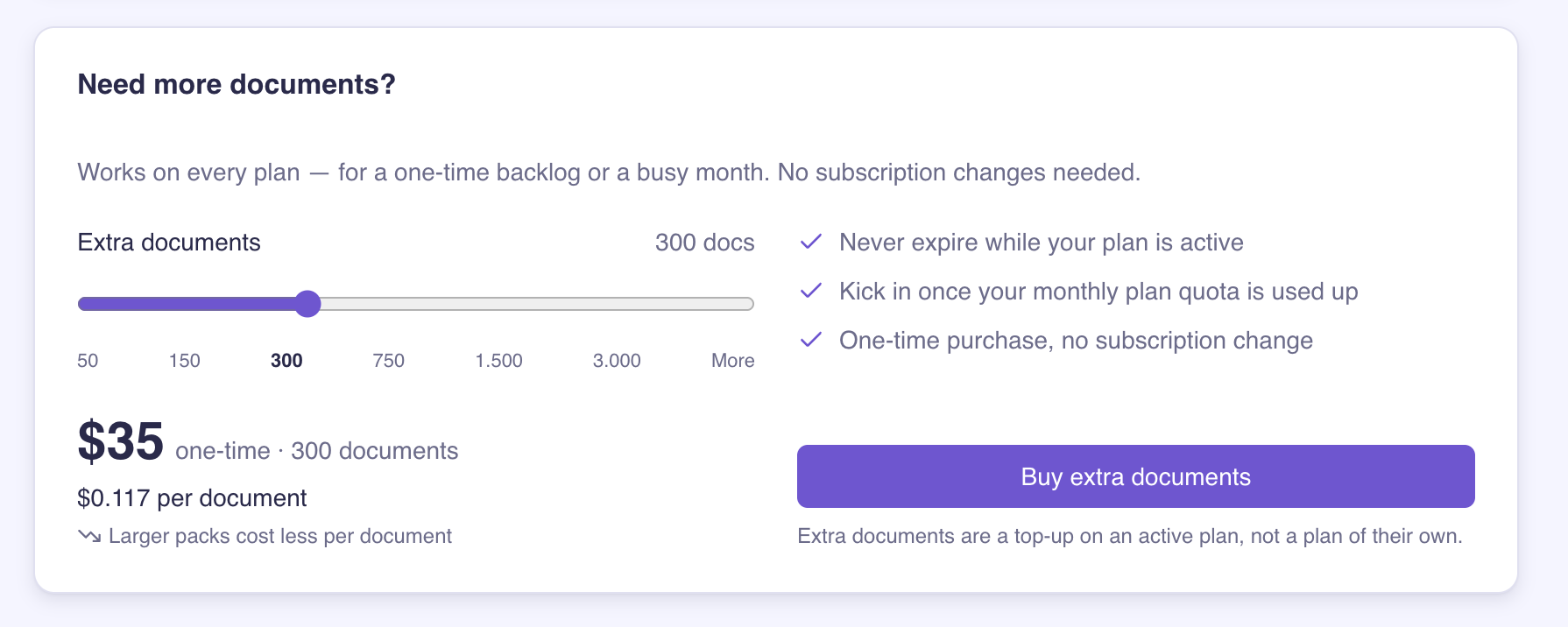
You no longer have to upgrade or wait for your billing date when you run out of documents. Buy a one-time package of extra documents straight from your billing page, from 50 up to 3,000. Larger packages cost less per document, and you can chat with us for anything above 3,000.
Extra documents sit on top of an active plan. Your plan allowance is always used first, extra documents carry over between billing periods instead of resetting, and they stay available for as long as your subscription is active.
Bug Fixes
Inbox folder watching: watching now repairs itself when the connection that reports new files breaks, so new files are picked up again without you doing anything.
Very long filenames: a file with an unusually long name no longer blocks the rest of your inbox from being processed.
Unreadable Office files: a damaged Office file is now filed on its name instead of failing outright.
Filing everything at once: filing a large batch no longer stops part-way when Google limits how fast files can be moved, and large batches now finish faster.
Missing file permissions: if Filently cannot access a file, filing now tells you what to do instead of showing a generic error.
Re-analyzing documents: you can now re-analyze up to 15 documents per hour, up from 3.
Unreadable Office files: a damaged Office file is now filed on its name instead of failing outright.
Reverts that lose file access: if a revert fails because Filently lost access to the file, the change stays revertible so you can retry after you restore access.