Find documents fast: paginated, filterable dashboard
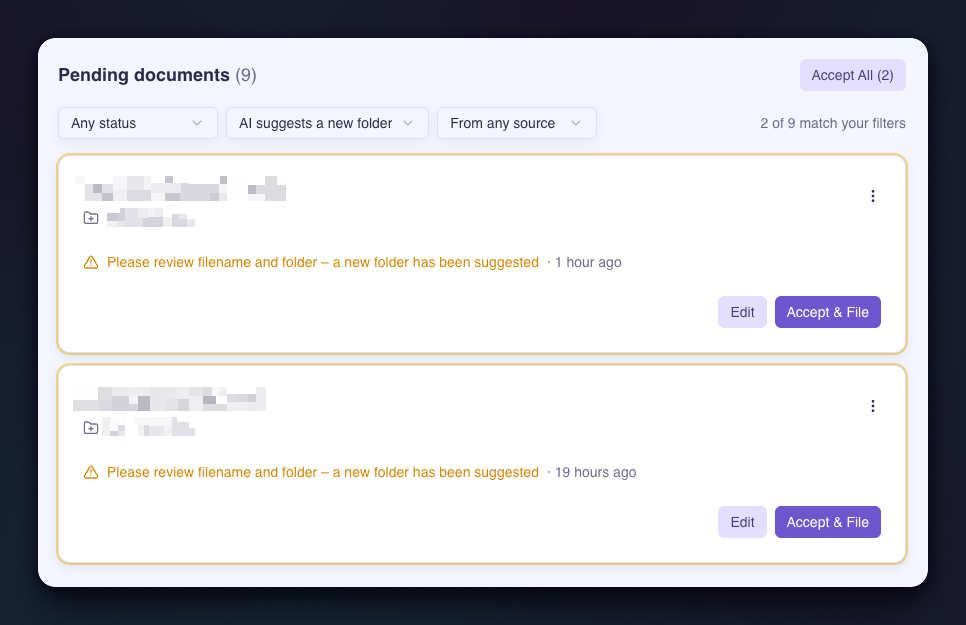
This release brings a major upgrade to how you browse documents in review, plus expanded plan limits and a list of reliability fixes.
New Features
Paginated, filterable dashboard list
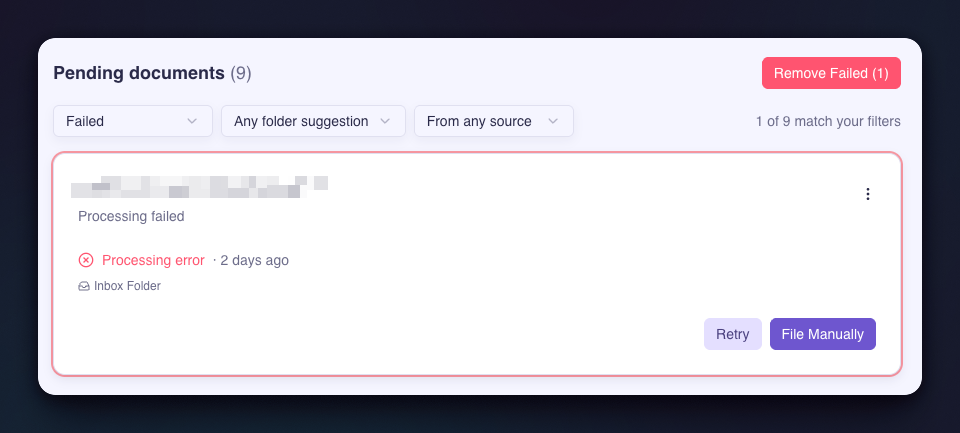
The documents queue on your dashboard now loads in pages with a "Load more" button instead of rendering everything at once. If you've been letting documents pile up, the dashboard will stay snappy regardless of queue size. New filters let you narrow down by status, folder type, and source (upload vs. inbox), and bulk actions like "Accept All" and "Remove Failed" respect the active filters.
Bulk remove failed documents
A new "Remove Failed" button on the dashboard lets you clear out all documents that couldn't be processed in a single action. The files themselves stay in your upload folder, so you can still file them manually later if you want. The same one-click cleanup is now available for individual documents too. Managing Filed Documents Reviewing Documents
Safer file removal in Google Drive
When you remove a document and choose to also delete the file from Google Drive, Filently now moves it to Drive's trash instead of permanently deleting it. Previously, files were hard-deleted and unrecoverable — now you have 30 days to restore anything removed by accident. Keeping the file in Drive untouched is also now the default option.
Higher Personal plan limits
The Personal plan now includes 50 documents per month (up from 25) and 600 per year (up from 300) — same price, double the headroom.
Larger custom filing instructions
Custom filing instructions now allow up to 5,000 characters (up from 2,000), giving you more room to describe folder structures, tie-breaker rules, and business context.
Bug Fixes
Large Excel files now parse reliably — certain large, sparse spreadsheets that previously failed processing now extract correctly.
Email attachment file extensions match the actual content — when an attachment's extension didn't match its real type, Filently now corrects it before saving to Drive.
Email attachments without a filename or type are no longer rejected — Filently now generates a sensible filename and detects the type from content.
Tiny images no longer break processing — very small images now fall back to filename-only classification instead of failing.
Folders with more than 100 files are now fully indexed — inbox folders containing many files are no longer silently truncated.
Filing into newly-created nested folders is now consistent — filing into multi-level new folders (e.g. "2026/March") no longer occasionally produces inconsistent folder state.